
Dialogue is a large part of this game since the characters talk through various dialogue trees when items have been collected or tasks have been complete.
Team member Bayley has written out the dialogue ready for me to be able to put it into unity and make sure its working.
In order to put this together I have created a flow chart so you can see when the different types of dialogue are triggered.
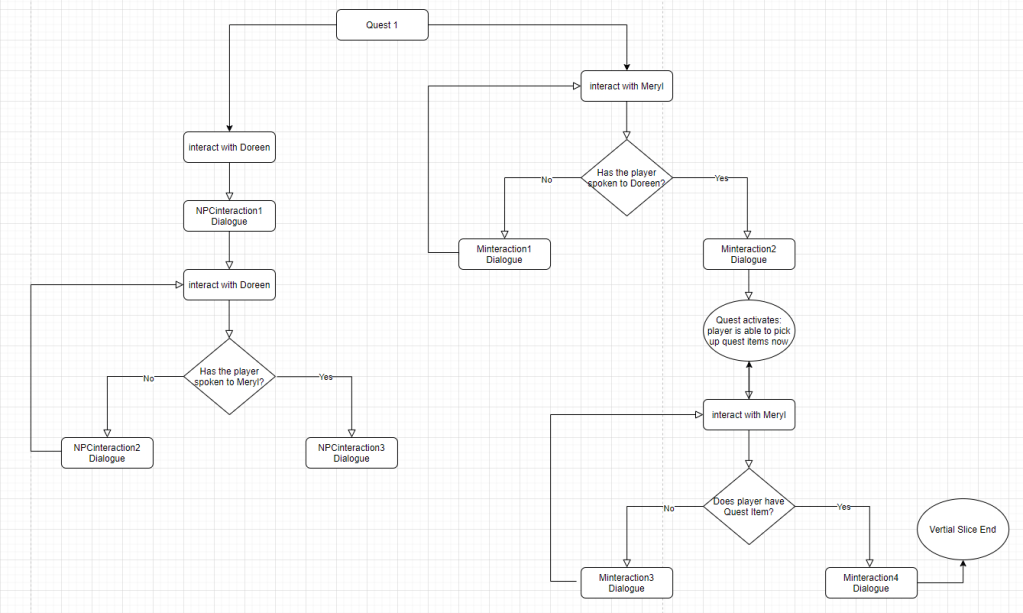
The dialogue will be stored in an XML file and accessed through a C# script. The C# script will act as a “Dialogue Controller” and keep track of when each bit of dialogue needs to be triggered. The XML file will also contain a tag that allows me to identify which character is speaking (The NPC or the player) This will then allow me to display the correct 2D portrait when each diferent character is talking.
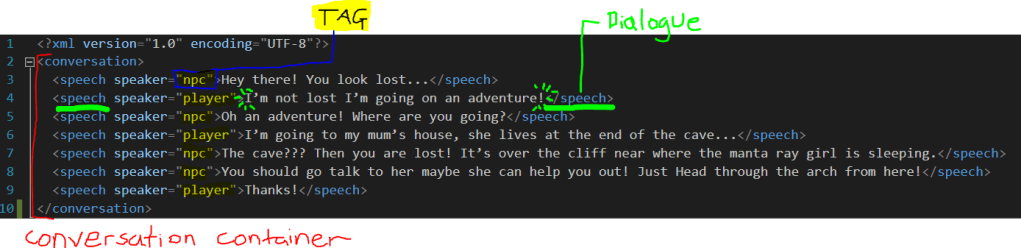
Each conversation is containted in a different XML file.
Prototype
I started by creating a prototype for the dialogue in a seperate unity file as to not interfere with the main game file.
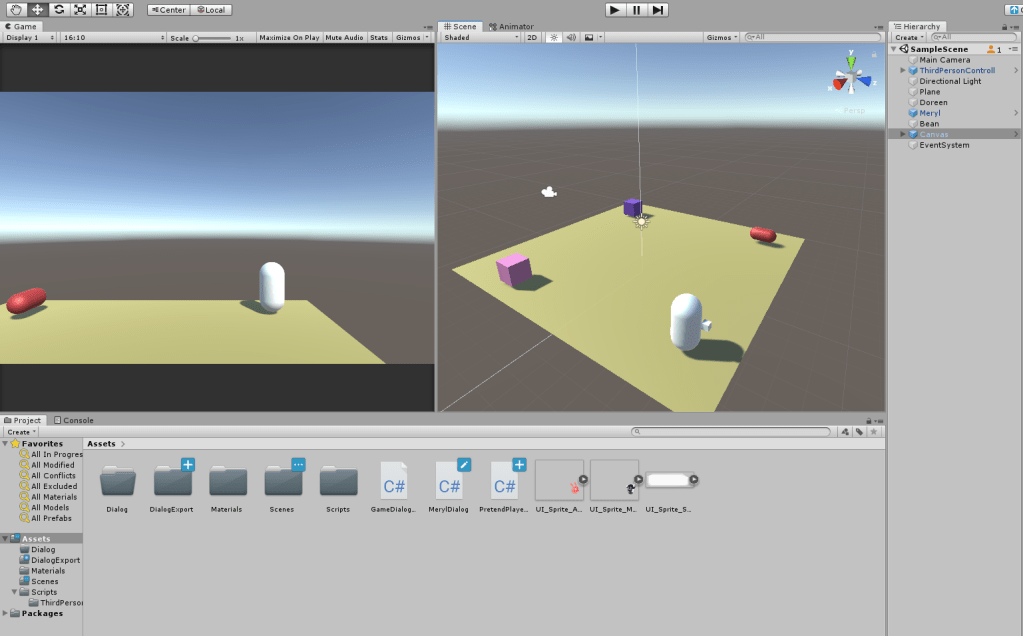
There were a couple of issues with the prototype I had made so I went through the scripts with James and we came up with another prototype that displayed the first piece of dialogue needed for the game.
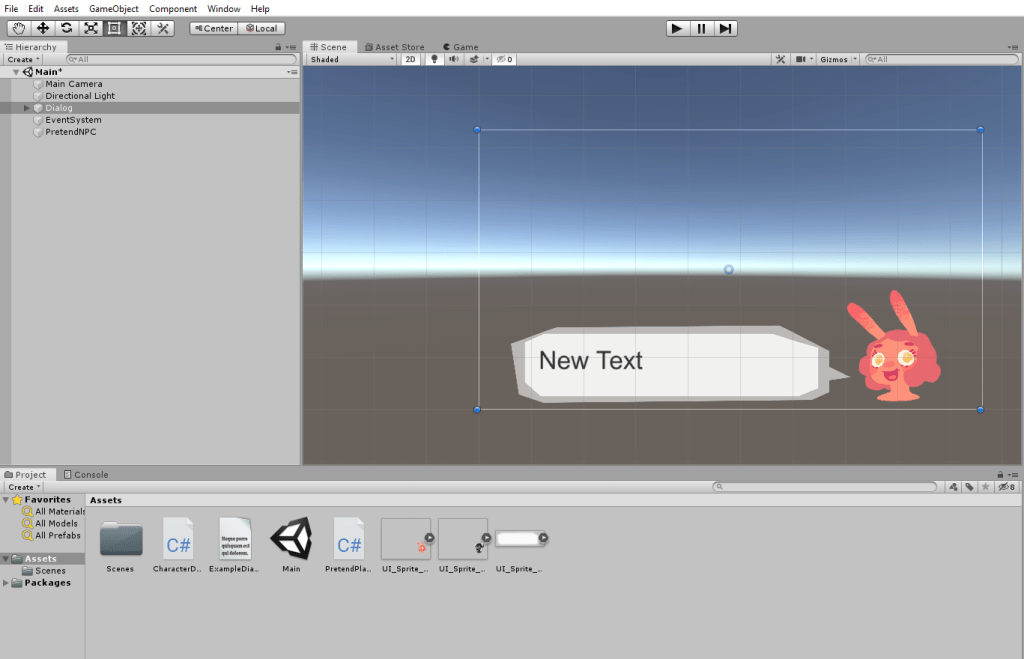
This prototype allowed you to just click on a sphere and it would display the dialogue. You could cycle through the dialogue with ‘k’ and it worked perfectly fine with the UI.
Once I had the prototype working it was then packaged as a prefab and dragged into the main unity file. Everything was then attatched to the correct game assets and tested to make sure that it works. We also got it working with the interaction script that Benedict had already setup, instead of the “click with the cursor” prototype script.
Final Dialogue System
After testing the prefab we noticed a couple of issues and so the code, UI, and dialogue was tweaked to fit the best user experience possible.
The changes included:
- Modification to the interaction script and controls (Because players were often clicking to interact instead of pressing “E”)
- A little “press E to continue” message on the dialogue
- Changes to the grammar and tweaks to the words the characters say. This part also coincided with the fact that we had to change the envrionment slightly for the vertical slice, so specific directions and narrative had to be changed in the dialogue too.
- Added final font to the UI
We then linked the dialogue to the quest so the quest collectable had an effect on the dialogue that the characters would display.
 SketchbookMegan